
Important: Astah GSN has been discontinued as of March 31, 2024.
For those interested in modeling GSN, we recommend using our Astah System Safety product. Additionally, the script introduced in this article is fully compatible with Astah System Safety.
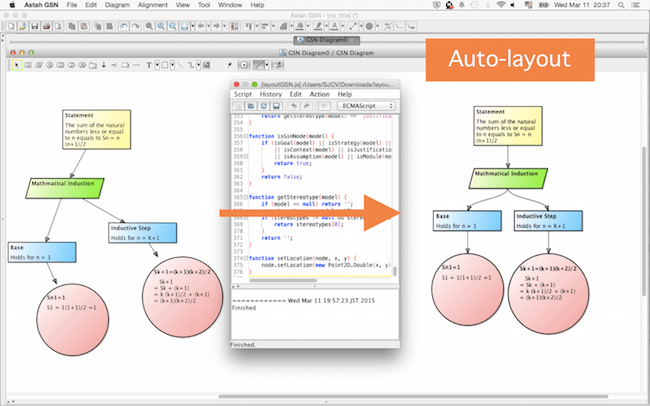
With Astah Script Plug-in, you can automatically lay out the GSN nicely. This feature is very useful at the finish-up.
(Added on Jan.11,2018 : this feature is now included in Astah GSN version 1.1 released in 2015/06/24)
(1) Download the script from here. (Download link Closed)
(2) Unzip the downloaded file and save this layoutGSN.js file.
(3) Launch Astah GSN and go to [Tool] – [Script]. (To add this menu, you need to install Script plug-in first.)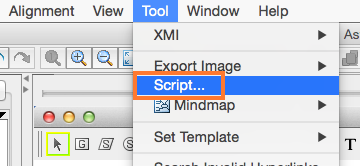
(4) A [Script] window opens. Select [Script] – [Open], and select the .js file you downloaded at step (2) .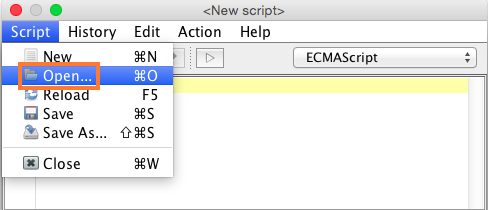
(5) Script appears in the window above, click [Action] – [Run] or click the [Play] button in red box below.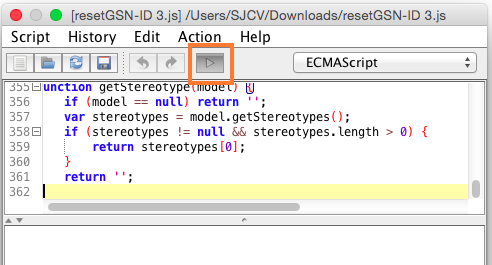
(6) Then GSN should automatically be shaped nicely!
 Warning
This script is available for Astah GSN version 1.0.
With Astah GSN Version 1.1, we updated required Java version to 8 from 7. The sample script provided here works only on Astah with Java7 (Astah GSN ver1.0). To enable this script with newer version, you need to modify the scripts guided as below.
importPackage
There are three ways to do so:
Before
importPackage(com.change_vision.jude.api.inf.editor);
//use the classes in the package
After
1. Use JavaImporter
with(new JavaImporter(com.change_vision.jude.api.inf.editor)) {
//use the classes in the package
}
2. Load “nashorn:mozilla_compat.js”
load("nashorn:mozilla_compat.js");
importPackage(com.change_vision.jude.api.inf.editor);
//use the classes in the package
3. Use Java.type
var TransactionManager = Java.type("com.change_vision.jude.api.inf.editor.TransactionManager");
//use the class
println
There are two ways to do so:
Before
println("astah*");
After
1. Replace “println” with “print”
print("astah*");
2. Add println=print;
println = print;
println("astah*");
 Astah in 5min
2 thoughts on “Auto-layout of GSN”