
Important: Astah GSN has been discontinued as of March 31, 2024.
For those interested in modeling GSN, we recommend using our Astah System Safety product. Additionally, the script introduced in this article is fully compatible with Astah System Safety.
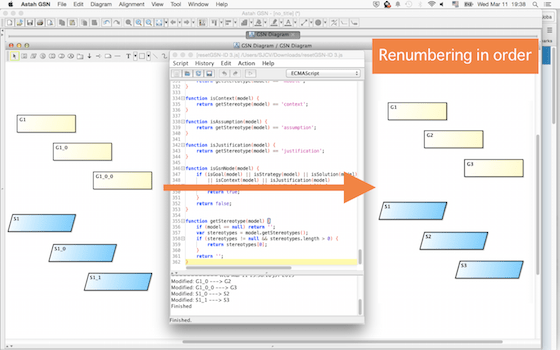
With Astah Script Plug-in, you can renumber the Goals and Contexts on the GSN.
(1) Download the script from here. (Download link is closed.)
(2) Unzip the downloaded file and save this resetGSN-ID.js file.
(3) Launch Astah GSN and go to [Tool] – [Script]. (To add this menu, you need to install Script plug-in first.)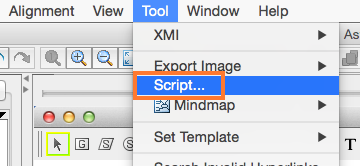
(4) A [Script] window opens. Select [Script] – [Open], and select the .js file you downloaded at step (2) .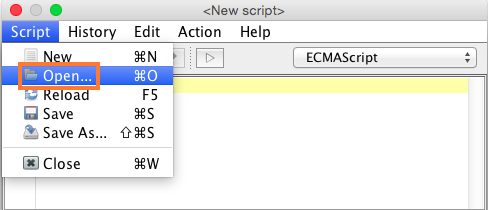
(5) Script appears in the window above, click [Action] – [Run] or click the [Play] button in red box below.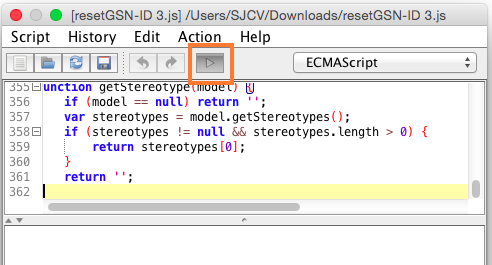
(6) When it completes, it shows the “Finished!” and a result of how Astah changes the ID in the bottom pane and the numbers are updated at the same time on GSN.
 Astah in 5min
2 thoughts on “Renumbering Goals and Contexts…etc in GSN”