1. Create a [template] folder under Userhome/.astah/professional(uml)
2. Create a [Project] folder under the Userhome/.astah/professional(uml)/template
3. Save your project in Userhome/.astah/professional(uml)/template/Project
4. Go to [Tools]-[System Properties]-[Project]
5. Choose [User Template] and enter the project file name
6. Click [Apply] – [OK]
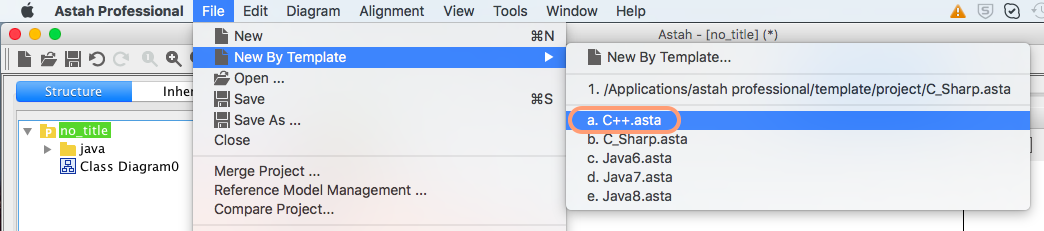
Now your project appears in the menu from [File] – [New from Template]

 Astah in 5min
Hello!! If i already created my project and want to put this c++ template? This is possible? How do i do that?!
Hi Bianca,
1. Create a [template] folder under Userhome/.astah/professional(uml)
2. Create a [Project] folder under the Userhome/.astah/professional(uml)/template
3. Save your project in Userhome/.astah/professional(uml)/template/Project
4. Go to [Tools]-[System Properties]-[Project]
5. Choose [User Template] and enter the project file name
6. Click [Apply] – [OK]
Now your project appears in the menu from [File] – [New from Template]
Also refer to our user guide! http://astah.net/manual/278-project-file#templates
Thanks!
SJ