
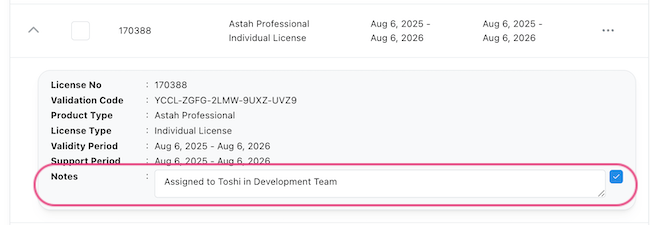
Managing multiple Astah licenses across your team just got easier!
We’re excited to introduce a new feature in the Astah license management portal that lets you add internal notes to each license.
 Why This Matters
If you’re an Astah license administrator handling several licenses under one account, it can sometimes be tricky to keep track of who is using which license, or what decisions have been made about renewals. Until now, many customers relied on external spreadsheets, notes or email threads to manage this information.
With the new Notes field, you can record key details directly within each license’s page, so everything you need is in one place.
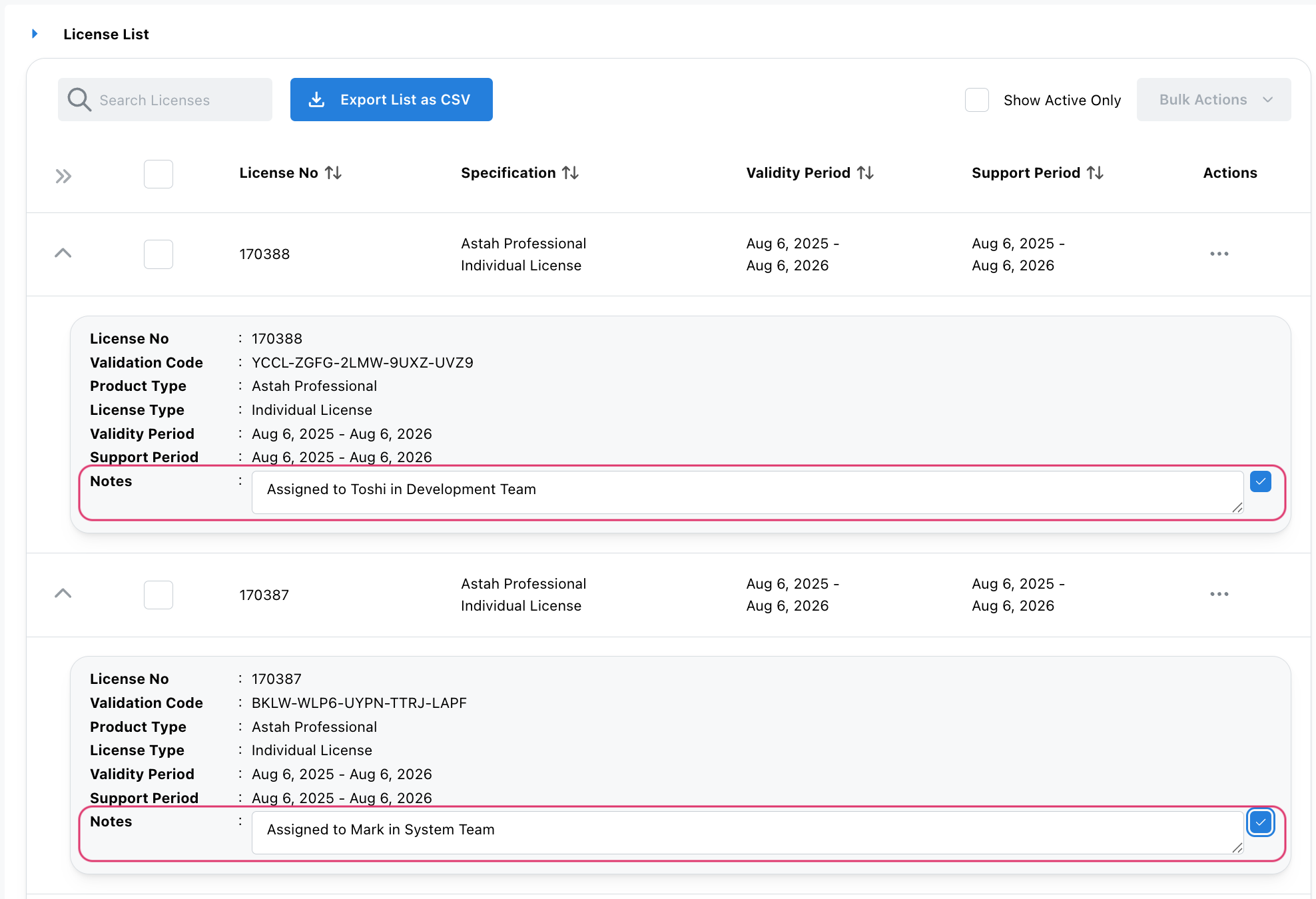
What You Can Do with Notes
Here are just a few ways this feature can make license management smoother:
Assigning Licenses
Add a note like “Assigned to Mark in System Team” to clarify usage.
Tracking Renewal Decisions
Example: “Renewing support for this license for 3 years – noted by Sarah on 2025/08/18”.
Recording Internal Comments
Any note that helps your team remember decisions, context, or responsibilities tied to a license.
* These notes are for internal reference only. They will not appear in the license file itself.
How to Add a Note
Adding a note is simple:
- Go to [My Licenses] in the ChangeVision Members site.
- Open the license you’d like to update.
- Click the pencil icon in the [Notes] field to add or edit your note.
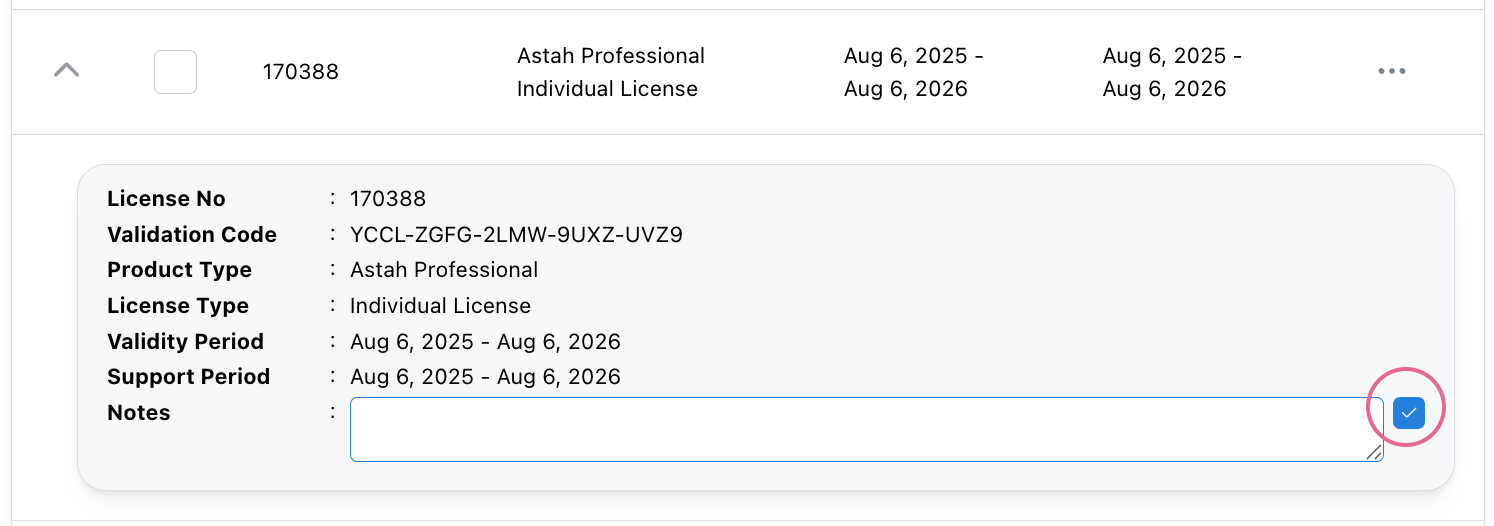
That’s it! The note is instantly saved and available whenever you open that license’s details.
Designed to Save You Time
This small but powerful feature eliminates the need for separate tracking spreadsheets, external notes or back-and-forth emails. Everything about your Astah licenses – from assignment to renewal history – can now live right where you manage your licenses.
Try It Today
Log in to the ChangeVision Members site and start adding notes to your licenses.
We hope this helps you streamline license management and make your job a little easier!
Astah Team
 Astah in 5min