
With Astah, you can add images which are associated with models stereotype. For example, when you want to show Database icon on UseCase diagram, this is how you do so.
(1) Have an image file to represent a database ready.
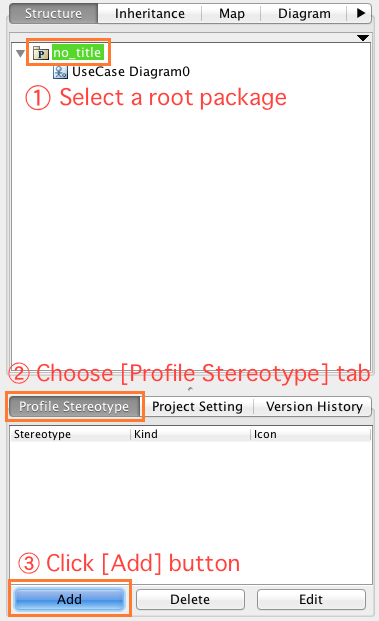
(2) Open .asta file, select a root package in the tree structure, and then go to [Profile Stereotype] tab in the pane below. Click [Add] button.
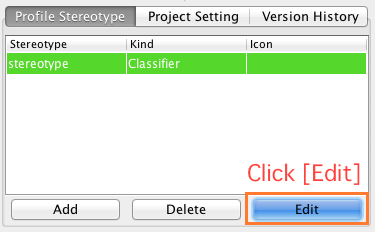
(3) A stereotype will be added, click [Edit] button
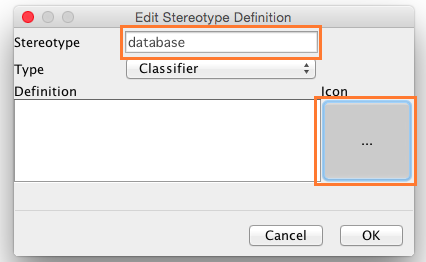
(4) Another dialog appears. In the stereotype field, enter a stereotype in it and then click [Icon] button and specify the image file you want to associate with model which has this stereotype. In this example, I type “database” and upload an image of database.
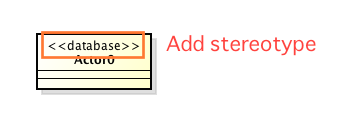
(5) Create a model and add a stereotype, database
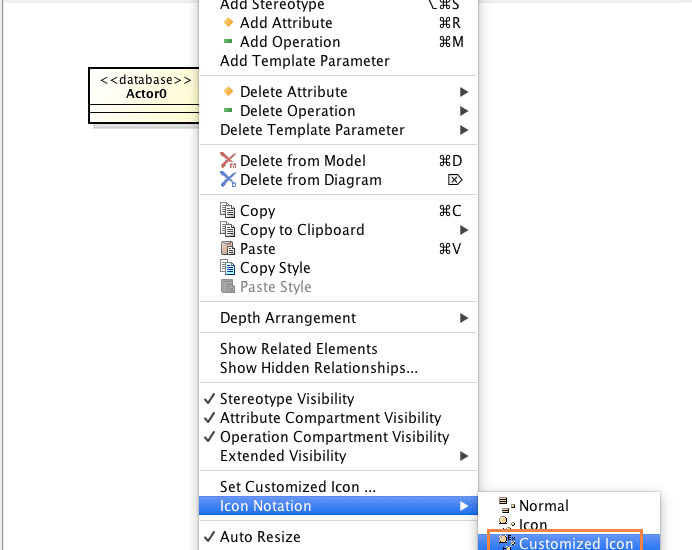
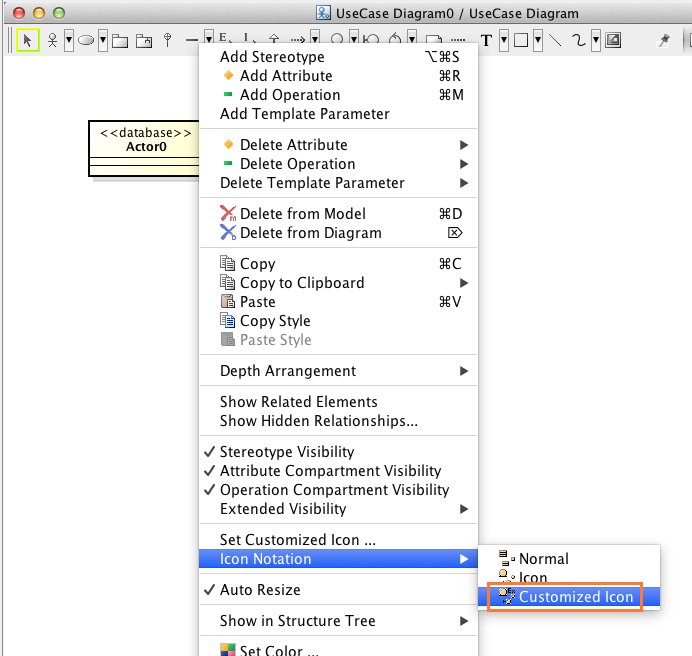
(6) At last, right-click on the model in a diagram and select [Icon Notation] – [Customized Icon] from its Pop-up menu.
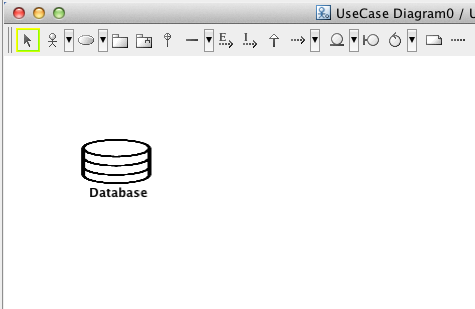
Then the model will turn into the image uploaded!
Give it a try!
Cheers,
SJ
 Astah in 5min
I would like how to find out which customized icon is selected by a class (which has multiple stereotypes(along with icon)) or its instanceSpecification’s presentation using AstahAPI?
I have tried to access presentation’s properties but there is just a {“notiation_type”, “customized”} item there.
Dear DUC HONANG
Thank you for using AstahAPI.
If there are several stereotypes with customized icon, the customized icon of the first stereotype of those is the icon for your class and your instanceSpecification.
For example, there is a class with stereotype1, stereotype2 and stereotype3.
Stereotype1 isn’t connected with a customized icon, however, stereotype2 and stereotype3 are with customized icon.
If the “notiation_type” is set as “customized”, the customized icon of stereotype2 will be shown on the diagram.
Best regards,
Astah Support