Unable to save files after Windows 10 Creators Update
Unable to save files after Windows 10 Creators Update

Unable to save files after Windows 10 Creators Update
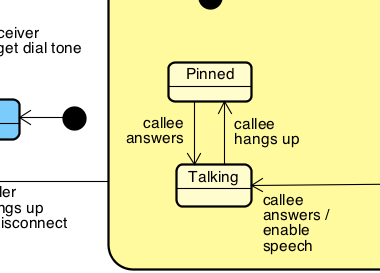
You can make the line break using any of the the shortcut keys below. [Shift + Enter] [Control + Enter] (Command if you are on Mac) [Alt + Enter] If these keys don’t work, that […]
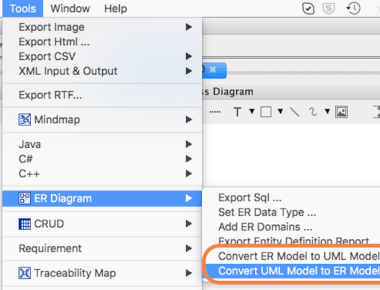
A mapping rule how Astah converts UML class relationships to ones in ERD
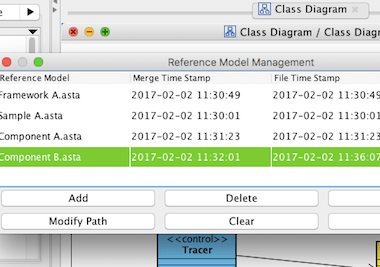
Astah’s “Reference Model Management” is a very powerful function which allows you to import other project models as read-only. So you can work on your models using other project models without worrying about altering them. When there’re any updates on the original models, Astah automatically detects it and informs you, so that you won’t miss to sync and can work with the latest models all the time.

You can specify aliases for diagram elements in Astah Professional.
Alias is an alternative name you can display in the diagrams, and is very useful in offshore development.
We will be closing our office for New years holidays.
Dec.29 (Thu) – Jan.3 (Tue)

Astah received both “Bestselling Product Awards for 2016” and “Bestselling Publisher Awards for 2016” today from the ComponentSource, a worldwide software reseller – who’s reselling Astah for us almost for a decade

In Astah, you can add mini-icons to each model to make your diagrams expressive and alive! When you want to add information to a model, you would add text or notes or change its color. In Astah “Mini-icon” is another option. You can add a smily face, check mark, stars…! Your diagrams will become communicative and the model element can impart the information just by adding a Mini-icon.
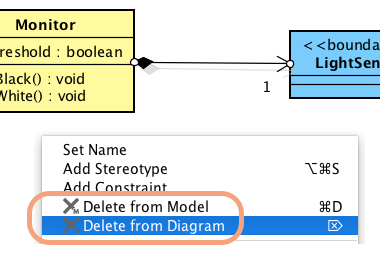
There are two ways to delete models in Astah. One is to remove its presentation and another is to delete model itself completely from the project.
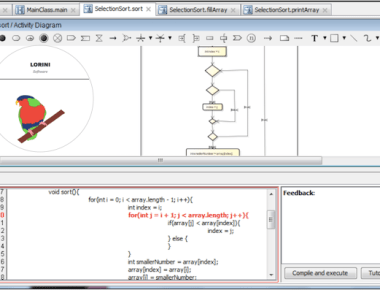
Existing code generators assume that we are professionals – but we wanted one for educational purpose. We welcomed two new members, Brian Cham and Candice Eckert to Friends of Astah Program. They are developers […]
 Astah in 5min